
FDY app · Android
Your solenoid tester,
in your pocket.
Download the free FDY app and run the FDY Black Box solenoid cleaning and testing device from your Android phone or tablet — over Bluetooth.
- Free download
- Bluetooth Low Energy
- PDF test reports
Get started
Ready in three steps
No cables to the phone and no setup files: the app finds the device on its own.
- 1
Install the free FDY app
Download it from Google Play on your Android phone or tablet. - 2
Switch on the device and Bluetooth
The app finds your FDY Black Box over Bluetooth Low Energy (BLE). - 3
Connect the valves and start
Connect up to four solenoid valves, choose a 5 V or 12 V supply and start a test or a cleaning program.
Inside the app
Everything you need to test a solenoid
Current & resistance
Measures the current and resistance of every solenoid; resistance is calculated for the selected 5 V or 12 V supply.
Cleaning programs
Starts the device's cleaning programs to loosen stuck or embedded contaminants inside the valve.
Clear fault reporting
Short circuits and over-current are reported separately, and valves without a result are clearly marked.
PDF reports
Save every result as a PDF report and share it with your customer.
History & cloud backup
Every test is kept in your history and backed up to the cloud.
Firmware updates
Keep your device up to date: firmware updates are installed through the app.
Never loses a test
If the Bluetooth connection drops, the device completes the running test on its own.
Four languages
The app is available in Turkish, English, Russian and Polish.
One app, two devices
Also runs the FDY mechatronic test device
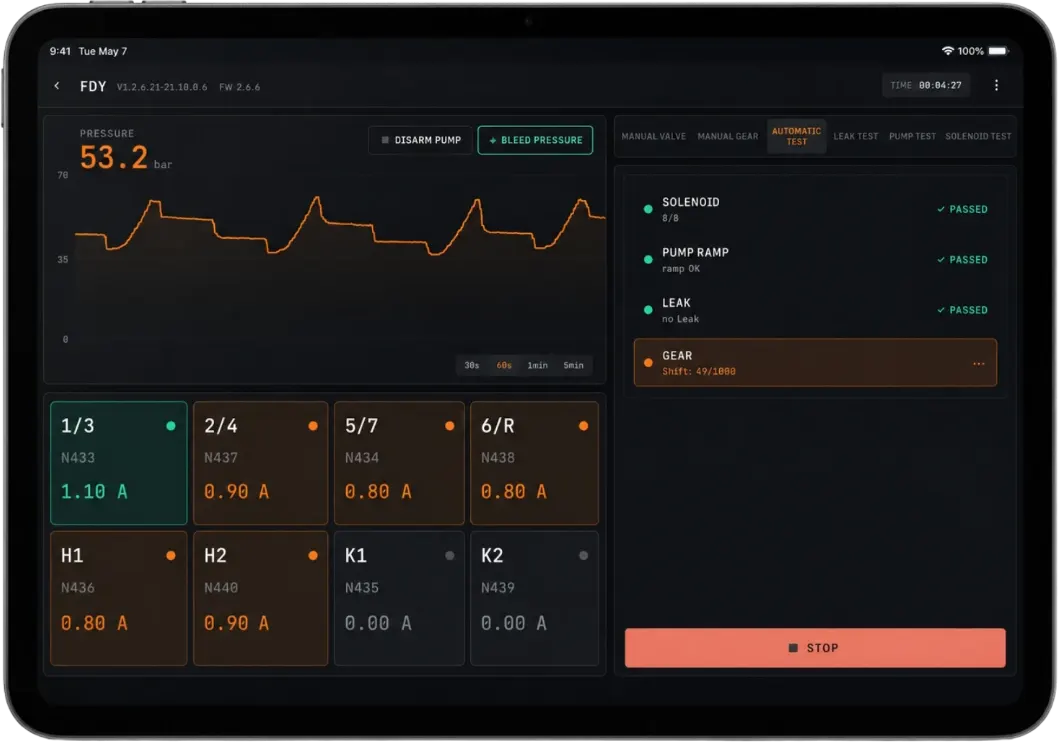
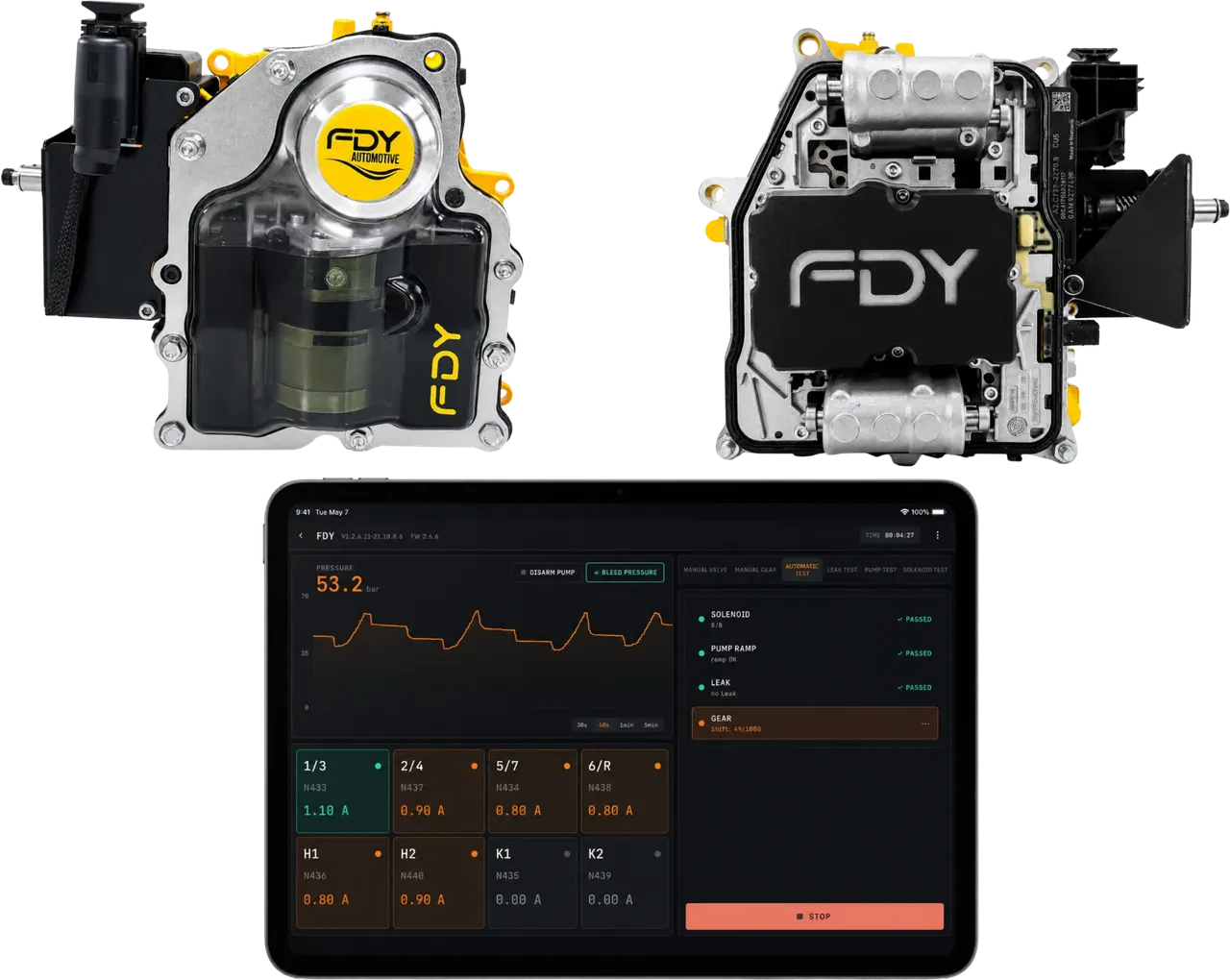
The same app controls the FDY DQ200 mechatronic test device: pump, valve, gear and leak tests, automatic test programs, manual valve and gear control and a live pressure graph.
Requirements
Before you install
- An Android phone or tablet with Bluetooth.
- A compatible FDY device to run tests — your reports and account settings are available without the device.
- Bluetooth is used only to find your device; the app does not collect location data.

Support
Need help getting started?
Our engineers help you connect the device and run your first test — 24/7.